Scan Receipts With Your iPhone, Not With Somebody Else’s Server
Photographing a receipt is easy. Turning that photo into something you can search, total and hand to an accountant is the part that usually involves an upload, an account and a wait.
Free on the App Store. Works with no connection once the model is downloaded.
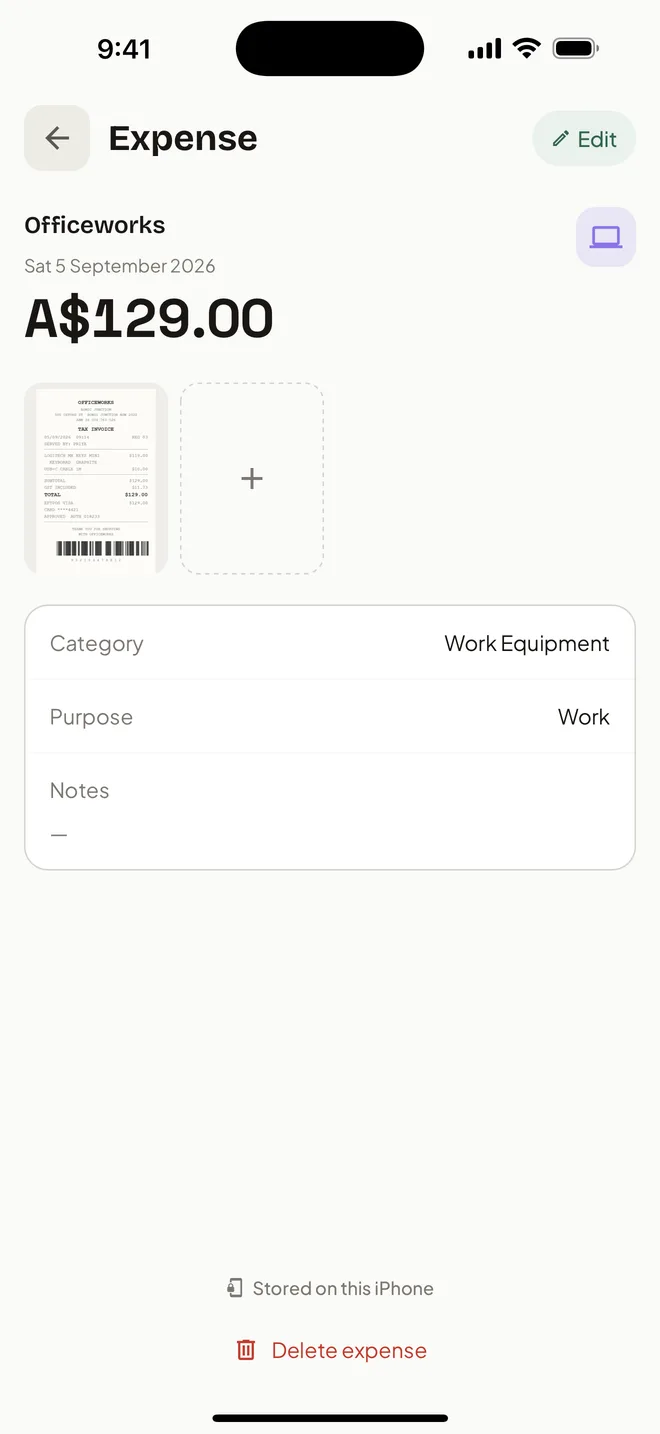
HeyJerni does it in one motion on the phone: point the camera, let the on-device AI read the merchant, amount and date, confirm what it found, and the record is saved with the image attached.
What happens when you scan
Capture
Photograph a receipt at the counter, or pick one you already took from your photo library. Multi-receipt scanning takes a stack in one pass and separates the pages itself.
Read
An AI model on the phone pulls out the merchant, the total and the date. There is no upload step, so there is no queue and no waiting on a network.
Confirm
The fields are shown before anything is saved. Fix a misread total, pick the category, set the purpose. This is where you catch the mistakes rather than discover them in July.
Keep
The original image is stored with the record, and you can attach more than one image when a receipt runs to several pages.
The things that usually go wrong with receipt apps
Being honest about these is more useful than claiming perfect accuracy.
Faded and creased paper
On-device reading handles most receipts well and struggles with the same ones a person would. That is exactly why every scan is reviewed before it saves.
Long supermarket receipts
HeyJerni reads the merchant, the total and the date rather than every line item. For a work expense record that is the part that matters, and it is far quicker.
The photo that never became a record
A picture in the camera roll is not searchable and does not total. Scanning turns it into an expense you can find by merchant, by category or by year.
Receipts sitting on someone else’s server
A receipt shows where you were, when, and what you bought. Cloud scanning means all of that lives in an account with the scanner's maker. Here it is read on the phone and never sent to us.
Scanning at the counter or a stack on Friday
Both work, and they suit different people. Scanning as you go means nothing can be lost, but it asks for ten seconds at a moment when you may be holding two bags and a coffee.
The alternative is to keep the paper for the week and scan the pile at once. Multi-receipt scanning is built for that: photograph the stack, and each receipt becomes its own record for review.
The one habit worth keeping either way is photographing thermal receipts on the day. They fade, sometimes within months in a hot car, and once the print is gone there is nothing left to scan.
Receipts are only half of a record
A scan gives you the merchant, the amount and the date. What makes it a work expense record is the purpose you attach to it: work, personal, or mixed with a work-use percentage.
HeyJerni remembers what you decided for a merchant, so the same shop next month arrives with the category already filled in and review takes one tap.
Frequently asked questions
Are receipt images uploaded for processing?
Can I scan several receipts at once?
Can I scan a receipt I already photographed?
Does it read every line item?
What if it reads the amount wrong?
Is the scanner free?
Related pages
- Receipt scanner for Australian tax recordsWhat a receipt has to show, and how long to keep it.
- iPhone expense trackerThe rest of what the app does with the device.
- Tax receipt app for AustraliaKeeping and exporting receipts for a financial year.
- Work expense trackerTurning a scan into a work expense record.

Scan the receipt in your wallet
Download HeyJerni and photograph one. The merchant, amount and date fill themselves in, on the phone, in a couple of seconds.
