An Expense Tracker Built for the Australian Financial Year
Most expense apps are built for a January to December year, in US dollars, for someone who wants a budget.
Free on the App Store. No account, no bank linking, no subscription required.
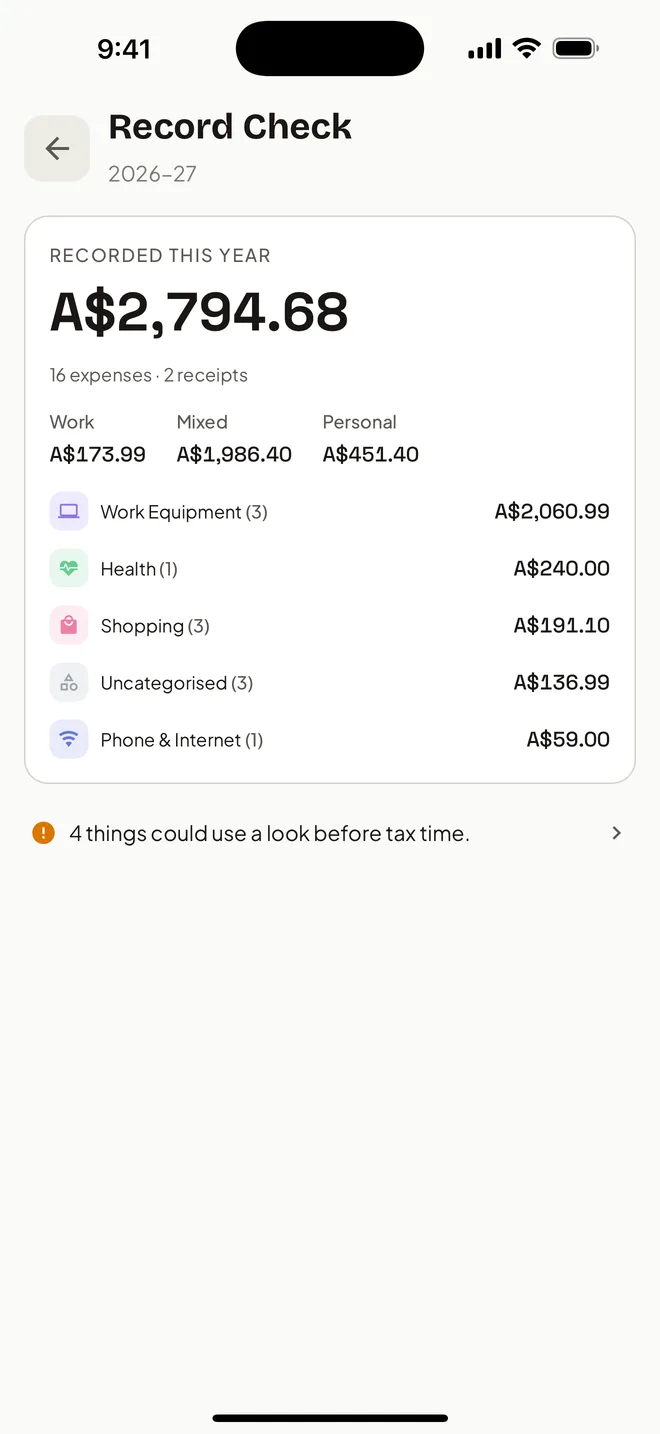
If you are in Australia, the year that matters runs 1 July to 30 June, the currency is AUD, and the reason you are tracking anything is that some of it goes on your tax return. HeyJerni is a free iPhone app built for that job: scan the receipt, mark the work use, and export the whole financial year when it is time to lodge.
Why a general expense app does not fit an Australian year
The gap is rarely the tracking itself. It is that the app organises the year the wrong way, so the work you do all year does not turn into anything you can hand over in July.
The year ends in the wrong month
An app that resets on 1 January makes you rebuild the 1 July to 30 June figure by hand. Every summary, every export and every total is one month range away from what you actually need.
Nothing records why you bought it
A category is not a purpose. A drill is Hardware whether you bought it for a job or for the shed, and only one of those belongs in your work expense records.
The receipt lives somewhere else
The amount is in the app and the paper is in a drawer. At tax time you have a number with no evidence behind it, which is the half that matters if the ATO ever asks.
It wants your bank login first
Plenty of Australian expense apps start by asking you to connect an account. That is a lot of trust to hand over before you have even tried the thing.
How the year works in HeyJerni
Four habits, none of which take longer than the walk back to the car.
Capture on the day
Photograph the receipt and on-device AI reads the merchant, amount and date. If you pay with Apple Pay, a one-time Shortcuts automation logs the purchase without you touching the phone.
Say what it was for
Every expense carries a purpose: work, personal, or mixed with a work-use percentage. HeyJerni remembers the merchant, so the second visit is already sorted.
Check in before you lodge
Record Check lists the financial year to date and flags what still needs a receipt or a category, while you can still do something about it.
Export once at 30 June
A Accountant Pack for the financial year: a PDF summary, a CSV of every expense, and the original receipt images, ready to reference when you lodge through myTax, or to send to your agent.
What is actually Australian about it
Not a flag on the splash screen. These are the parts that would be wrong in an app built for somewhere else.
- The financial year runs 1 July to 30 June everywhere in the app, including totals, Record Check and the export.
- Amounts are tracked and totalled in Australian dollars.
- Every expense can carry a work-use percentage, which is how work-related expense records are normally kept here.
- Receipt images stay attached to the record, so the evidence and the number travel together for as long as you keep them.
- The Accountant Pack is shaped around what a registered tax agent needs, or what you reference when filling in myTax, not around a company expense report.
HeyJerni helps organise expense records. Whether a particular expense is deductible depends on your circumstances and current ATO rules.
Ask instead of scrolling
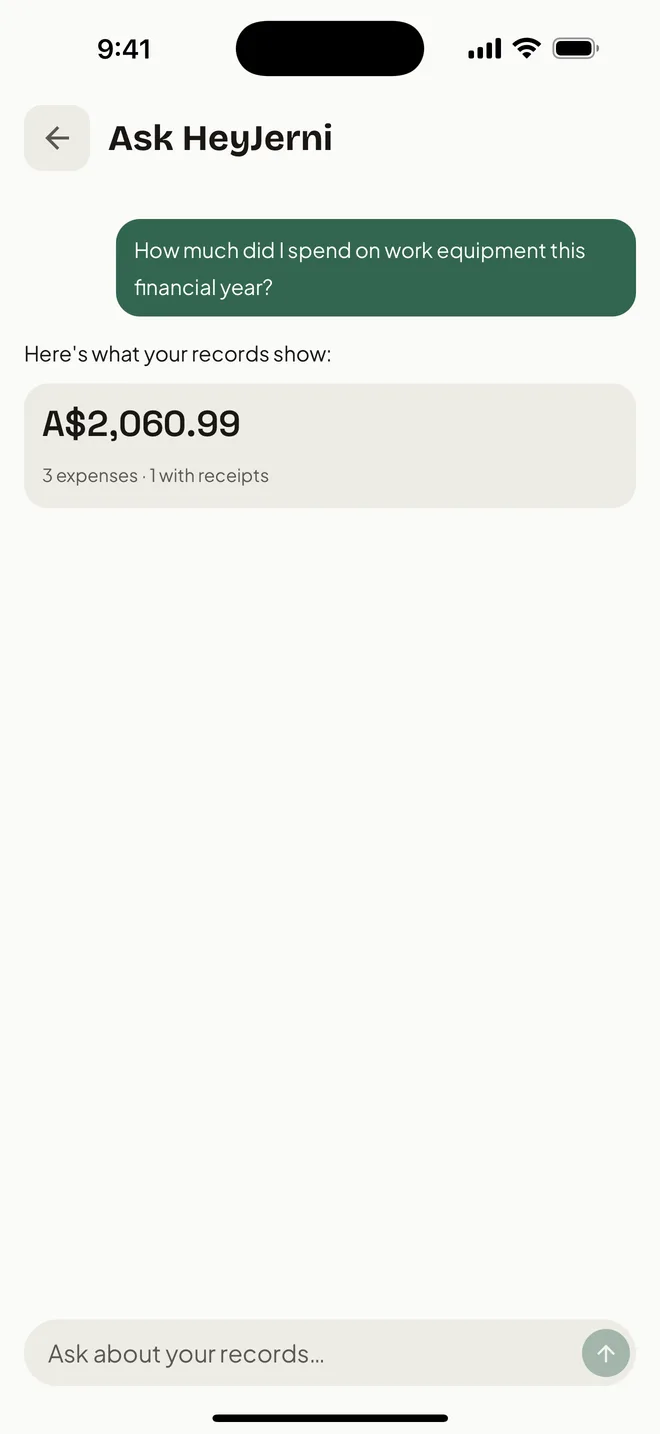
Once a year is recorded, the useful question is not what a single receipt says. It is how much went on tools this financial year, or what you spent on phone and internet since July.
You can ask HeyJerni that in plain English and the answer is computed from your own records on the phone. Nothing is sent anywhere to answer it.
A good fit if you
- Are in Australia and think in financial years
- Have work-related expenses to keep records for
- Want the receipt image kept with the record
- Drive for work and want the car logbook in the same app
- Would rather not connect a bank account
- Use an iPhone
Look elsewhere if you
- Want every transaction pulled in automatically from linked accounts
- Need GST, BAS or invoicing, which HeyJerni does not do
- Are on Android, or need a web or desktop app
- Want budgets and forecasting more than records
Frequently asked questions
Does HeyJerni use the Australian financial year?
Do I have to connect my bank account?
Will it tell me what I can claim?
What does my accountant get?
Is it free?
Does it work in other countries?
Related pages
- Receipt scanner for Australian tax recordsWhat the ATO expects a receipt record to show, and how scanning keeps it.
- Tax receipt app for AustraliaKeeping receipts until you lodge, and handing them over in one export.
- Apple Pay expense trackerLog card purchases as you tap, without linking a bank.
- Work expense trackerKeeping work and personal apart on the one card.
Australian references
Last reviewed: September 2026. Tax information on this page is based on publicly available Australian Taxation Office guidance. HeyJerni is a record-keeping tool and does not provide tax or financial advice.

Start this financial year properly
Download HeyJerni, scan one receipt, and watch the merchant, amount and date fill themselves in. Free, and nothing is sent to us.
