How to Organise Receipts for Tax Time
A receipt system that fits into the gaps of an ordinary week: four habits, the three points in the year where it usually falls over, and what a complete record contains.
Updated: 2026-10-05
Short answer
Capture on the day, sort once a week, check once before you lodge, and export once at the end. Four habits, and only two of them are recurring.
Organise by financial year, not by month or by category. The year is the unit anybody will ever ask you about, and 1 July to 30 June is the boundary that matters in Australia.
Keep the receipt attached to the expense record rather than in a separate folder. Two systems that have to be matched up later is the most common way a good year of receipts becomes useless.
The system, in four habits
The screens are HeyJerni; the habits work in any system.
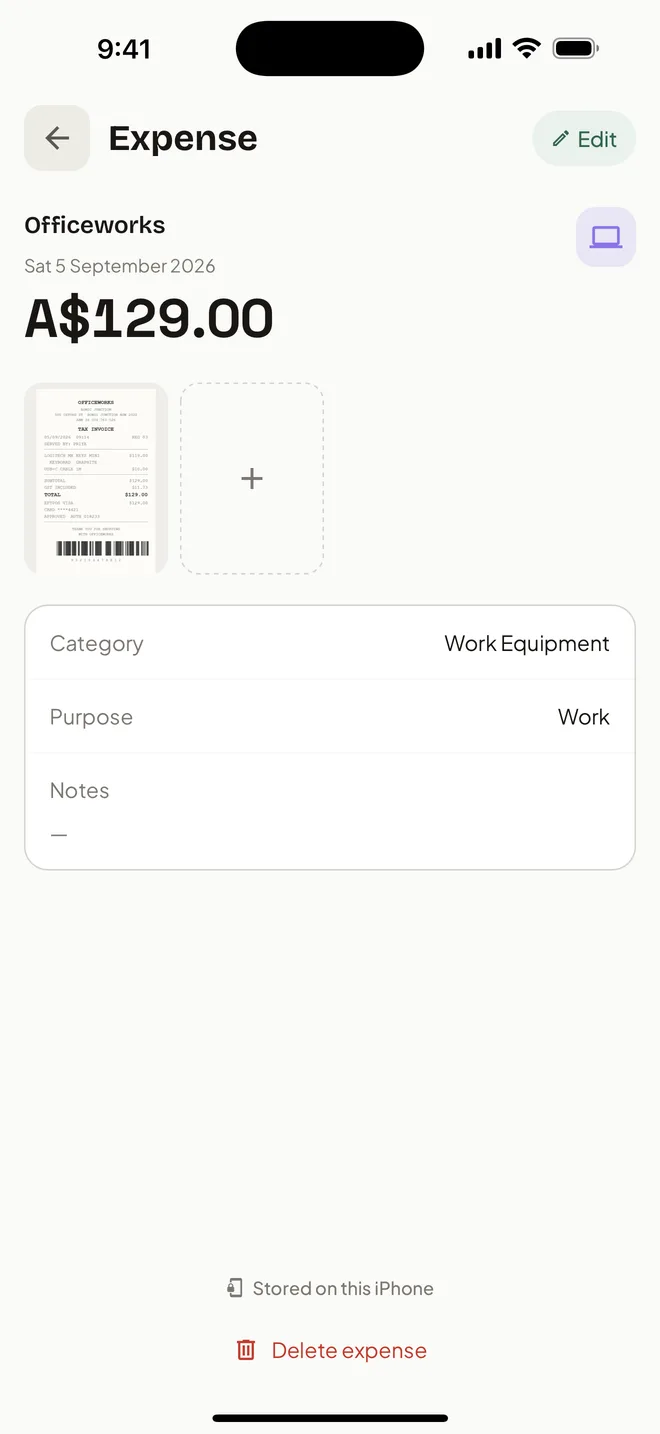
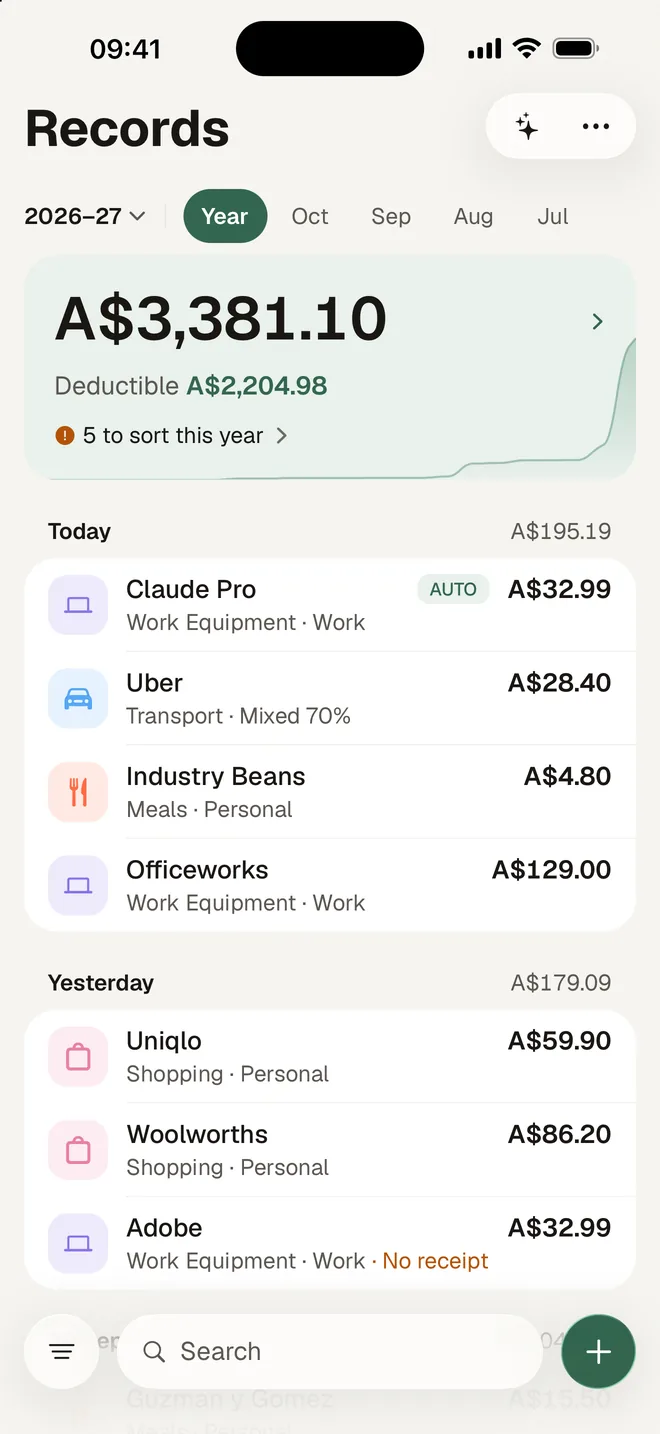
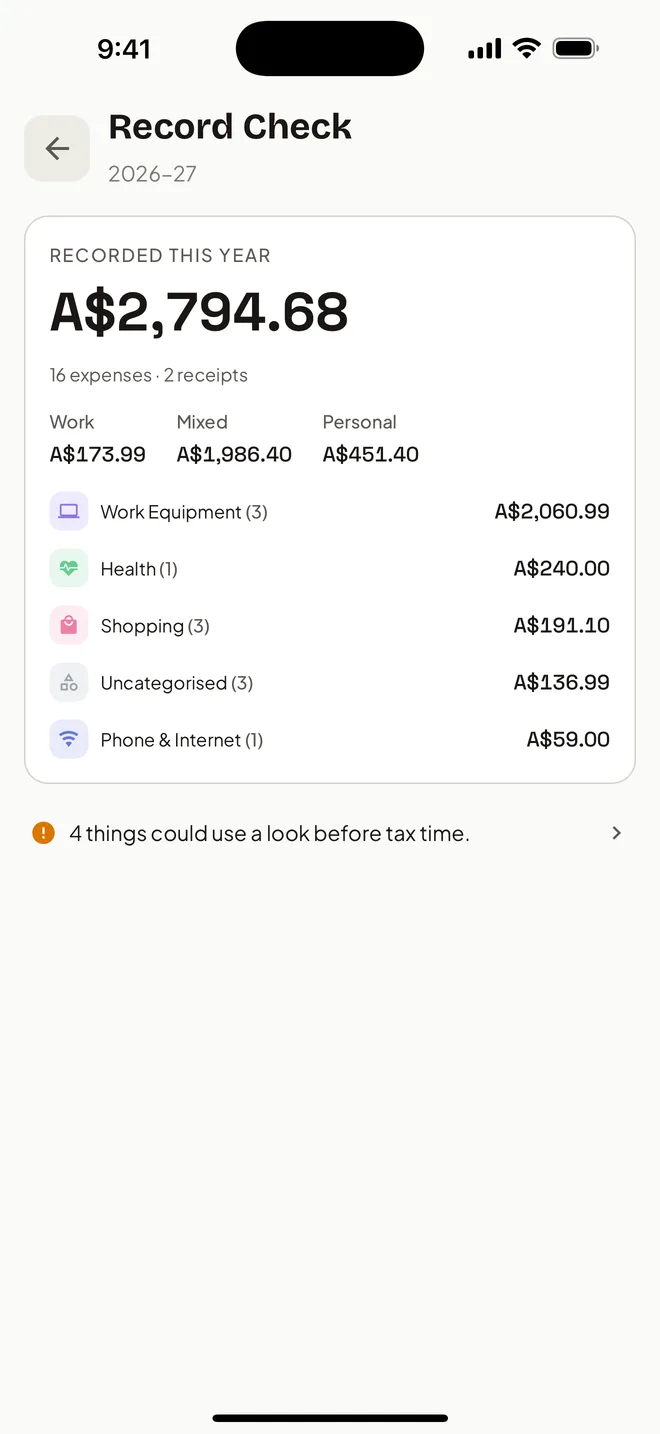
1 / 4
Capture on the day
Photograph paper receipts before they leave your hand, or at worst before the end of the day. Thermal paper fades, sometimes within months in a hot car, and a blank docket proves nothing. Save emailed receipts as images so they join the same pile.
2 / 4
Sort once a week
Two minutes to give each new expense a category and a purpose, while you still remember what it was for. Recurring suppliers should take one tap after the first time.
3 / 4
Check before you lodge
Once a year, go through the whole financial year looking for expenses with no receipt and no category. Do it in May or June, when you can still go and find the missing one, not in October.
4 / 4
Export once, as files
One export, in files an accountant already works with and that survive you changing apps. In HeyJerni that is the Accountant Pack: a PDF summary with each car's claim, a CSV of every expense, the logbook of every trip, and the receipt images.
The three points where it usually breaks
The first busy fortnight
Whatever you set up in July gets its real test in the first genuinely busy stretch. If capture takes more than a few seconds, that fortnight is the one you will lose.
The receipt with no context
A docket for two hundred dollars at a hardware store, six months later, with nothing recorded about what it was for. The amount survived and the reason did not.
The handover in October
Discovering at lodgment that a whole category is missing. By then the supplier has moved on and the paper is gone. The May check exists to prevent exactly this.
Organise by year, not by category
Category folders feel tidy and answer a question nobody asks. When a claim is questioned, the question is about a financial year and a specific expense, not about a category of spending.
Sort by financial year at the top level, and let categories be a property of each expense rather than a place it lives. Anything that can filter by category can also filter by year; a folder structure can only do one of them.
In Australia that top level runs 1 July to 30 June. If your system resets in January, every export needs reassembling by hand before it is any use.
What a complete receipt record contains
For a work-related expense, this is the set that answers the questions. Missing any of it usually cannot be fixed after the fact.
- The supplier you paid
- The amount and the date
- What the expense was, described well enough to recognise later
- The work-use share, if it was not entirely for work
- A readable image of the receipt or invoice
How long records must be kept and what evidence applies to your situation depend on your circumstances and current ATO rules. This is a filing method, not tax advice.
Paper, email, and the receipts you never see
Three sources, one destination. Paper gets photographed. Emailed receipts get saved as an image and added the same way. Subscriptions and direct debits produce no receipt at all, so they need a diary note or a statement line saved deliberately.
The third category is the one people forget, because nothing arrives to remind them. Once a quarter, read down the card statement looking for recurring charges you have never recorded.
Frequently asked questions
Do I have to keep the paper receipt?
How long do I keep receipts for?
What about receipts under ten dollars?
Read next
- How long to keep receipts for tax in AustraliaThe ATO record-keeping rules in plain English.
- How to keep digital receiptsEmail and in-app receipts, and keeping them readable.
- EOFY expense checklistA category walk-through for the yearly check.
- Tax receipt app for AustraliaThe app version: Record check and the Accountant Pack.
Australian references
Last reviewed: September 2026. Tax information on this page is based on publicly available Australian Taxation Office guidance. HeyJerni is a record-keeping tool and does not provide tax or financial advice.

The four habits, done for you
HeyJerni captures on the day, keeps the image with the record, checks the financial year before you lodge, and exports the lot as files.
